Here's the deal: lock your Mac and walk away — Codex stays at the desk and keeps working
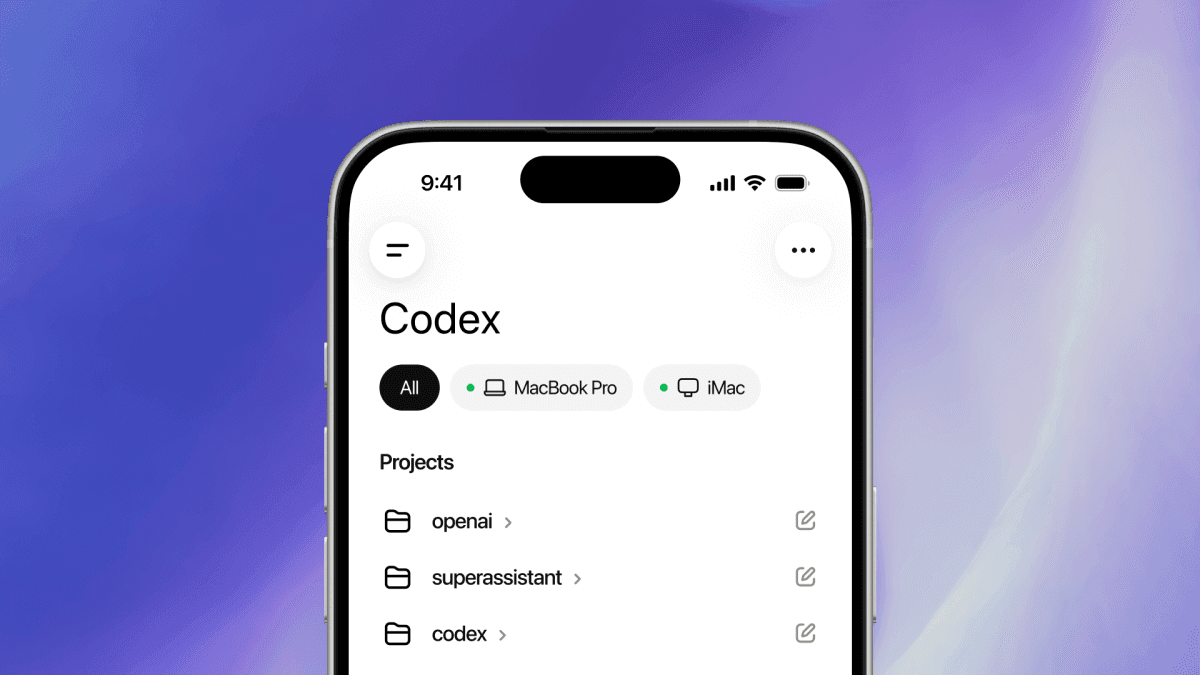
On May 21–22, OpenAI added a 'Locked use' option to the Computer Use feature of its Codex desktop app for macOS, letting it operate apps even while the screen is locked. In short, you can lock your Mac and leave, and Codex keeps running tasks you sent from your phone on the Mac at your desk. The agent moved from "only works while you watch" toward "works while you're away."
How it works: an Apple authorization plug-in temporarily unlocks the Mac for short windows so Codex can act, then re-locks it. You can trigger and monitor long-running agent tasks remotely from your phone. Codex clicks windows, types, navigates menus and uses the clipboard in apps you explicitly allow. The crux is that it can drive apps "even when the screen is off and locked."
The safeguards are tight. The authorization window is short-lived, and the moment keyboard or mouse input is detected, it re-locks and halts auto-unlocking — so if someone actually sits at the Mac, the agent backs off instantly. OpenAI stated that "Locked use is intentionally narrow. It's not a general-purpose remote-unlock path for your Mac, and it doesn't let other apps or local processes unlock the computer." It's scoped to active, trusted Computer Use turns.
The limits are clear too. It requires Screen Recording and Accessibility permissions, and it can't automate Terminal apps, Codex itself, or system admin prompts. At launch it's unavailable in the EEA, UK and Switzerland. Powerful, but it ships as a controlled feature. Still, the direction is unmistakable — autonomous coding agents are evolving toward asynchronous, remote, continuous execution.
The players — Codex, Computer Use, and Apple's permission model
Codex. OpenAI's coding agent. Beyond autocomplete, it has evolved into an "agent" that actually operates apps and carries tasks through. It recently gained "Computer Use" to drive desktop apps directly, and "Locked use" extends that capability into "the hours when no one is there."
Computer Use. The feature where the model sees the screen and operates mouse and keyboard like a human — clicking, typing, navigating menus, using the clipboard. Its strength is "driving apps via GUI even when there's no API," but that makes permissions and security design tricky. Locked use is the update that tackles that head-on.
Apple's permission model. The real gate here. Screen Recording and Accessibility are sensitive grants on macOS. OpenAI built a controlled loop — "briefly unlock → act → re-lock" via an Apple authorization plug-in — to balance security and autonomy. Re-locking on input detection bakes "the real user comes first" into code.
What's now possible, and how it's contained
What's possible. Even with the Mac locked, Codex runs phone-sent tasks on the desk Mac. It opens a workflow where long builds, tests, refactors and data processing run remotely while you're away, and you just check results. The practicality of "async agents" jumped.
How it's contained. (1) Short-lived authorization; (2) immediate re-lock and halt of auto-unlock on keyboard/mouse input; (3) Screen Recording and Accessibility required; (4) only apps you explicitly allow. "Powerful but narrow." OpenAI repeatedly stressed it's scoped to active Computer Use turns, not a general remote unlock.
What it can't do. Terminal apps, Codex itself, and system admin prompts are excluded from automation — the most dangerous surfaces (shell, privilege escalation) deliberately blocked. Unavailable in the EEA, UK and Switzerland at launch, suggesting a staged rollout mindful of regulation.
| Item | Detail |
|---|---|
| New feature | Locked use (operate apps on a locked Mac) |
| Mechanism | Apple authorization plug-in does short temp unlocks |
| Remote | trigger/monitor long tasks from phone |
| Safeguards | re-lock on input detection, short-lived auth |
| Permissions | Screen Recording + Accessibility required |
| Excluded | Terminal, Codex itself, admin prompts, EEA/UK/CH |
Why it matters. This isn't mere convenience. It's concrete progress toward "agents running continuously without real-time human supervision." It also shows — via tight guardrails — that as autonomy grows, safety and permission design become core product competitiveness.
What each side gets out of it
OpenAI. Strengthens its position as "the most autonomous, practical coding agent." Async, remote execution genuinely saves developer time, reinforcing Codex lock-in — while building product know-how on "how to grow autonomy safely."
Developers. Hand long jobs to the Mac and leave. Builds, tests and big refactors can be "started from your phone as you head out" — an async workflow that saves your most expensive resource: time.
Apple's ecosystem (indirect). It demonstrated that macOS's permission model works as "a platform for safely hosting powerful agents." As OS permission models grow more important in the agent era, Apple's tight permissions could become a differentiator.
Who should be wary. Security teams. "A path that temporarily unlocks a locked Mac," however narrow, can be a new attack surface. Enterprises need policy on how far to allow this. The convenience-vs-security trade-off restarts.
Precedents — successes and failures
The RPA path. Old RPA automated repetitive work by "driving the GUI like a human," but it was brittle to UI changes and a maintenance nightmare. AI Computer Use tries to beat that limit with "a model that understands the screen." Locked use is the next chapter — solving the "unattended, continuous execution" RPA couldn't.
Remote desktops / CI pipelines. Developers already run unattended jobs on remote servers and CI. But those were "servers"; this is "GUI apps on my local Mac." Automating tasks bound to local-only tools, licenses and apps is the new frontier.
Autonomy accidents. Conversely, automation tools with over-broad permissions have caused unintended destructive actions and security incidents. OpenAI deliberately excluding Terminal and admin prompts and adding input-detection re-lock is "going narrow," learned from those failures.
Competitor counter-plays
Anthropic's Claude. Claude is strong in Computer Use and coding agents (Claude Code). It can match with its own unattended-execution experience or differentiate by emphasizing "safety and auditability." The autonomy race shifts to "who is autonomous more safely."
Google / Microsoft. Google with Gemini-based agents and Microsoft with Copilot/Windows integration will chase similar unattended, continuous execution. Microsoft especially holds the OS (Windows), giving it an edge in permissions and integration. The "platform vendor vs. model vendor" agent fight heats up.
RPA / automation industry. Traditional RPA like UiPath is directly threatened by AI Computer Use. Failing to ride the "AI understands and drives the screen" wave means getting eaten. Expect a fast move to embed LLM Computer Use into their products.
So what actually changes — by persona
Developers. Time to experiment with async, remote agent workflows — hand long jobs to the Mac, monitor from your phone. But set allowed apps and permission scope carefully, and keep sensitive actions (shell, deploys) under human control.
Security / IT admins. New feature, new attack surface. Set policy up front on how far to allow Locked use. Co-design criteria for granting Screen Recording/Accessibility, an allowed-app whitelist, and audit logs.
Product / automation planners. With "unattended, continuous execution" possible, the scope of automatable work widens. It's a chance to design workflows that exploit the hours when no one's there — but rollback and alerting on failure are mandatory.
Everyday users. Developer-focused for now, but a signal that "AI operating my computer for me" keeps descending into daily life. Building the habit of weighing how much access to grant, and what safeguards exist, gets important.